Research to prototype

Design the flow.Prove it works.

Figma end to end — research, wireframes, design systems, prototypes and usability testing, finishing with a case study and a developer handoff a real team could build from.

 4–6 monthsClassroom & online batchesBeginner to job ready
Explore course
4.8/5
Student rating
500+
Students trained
6+
Industry projects
Yes
Placement support
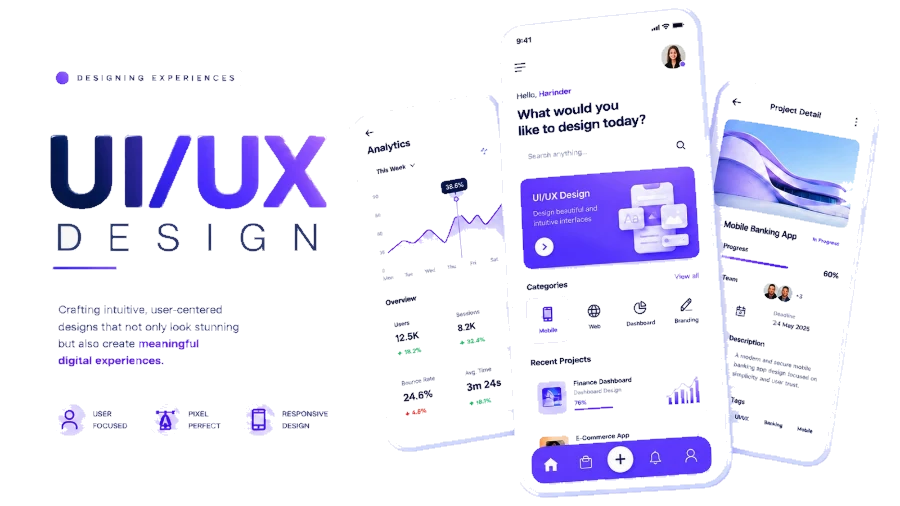
UI/UX phone mockups and interface components

Admissions open

Free demo class & counselling

Batch slots

  • Weekday
  • Evening
  • Weekend
Talk to a counsellor

Course overview

The UI/UX design course after 12th in Ludhiana, taught as a design process

The UI/UX design course in Ludhiana at techcadd covers the whole process — research, user flows, wireframes, Figma interfaces, prototyping, design systems, usability testing and handover to developers — because a screen that looks good and cannot be used is not design.

UI/UX is the best-paid design discipline in India and the one with the clearest route out of a small city, because the work is judged entirely on case studies and almost all of it can be done remotely. It is also the design course with the most competition, which is why this one spends as much time on reasoning as on visuals.

You work through user research and problem framing, information architecture and flows, wireframing, visual design in Figma, component libraries and design systems, interactive prototyping, usability testing with real people, and developer handover. Each project is written up as a case study — the problem, what you tried, what testing showed, what changed — because that write-up is what a hiring designer reads first.

No coding is required, though the handover module will teach you enough about how interfaces are built to design things that can actually be made.

  • Research and testing included, not just screens
  • A reusable design system with components and variants
  • Handoff files a developer can actually build from

Straight after 12th

UI/UX after 12th: the design job that does not care where you live

Of everything in the After 12th list, this is the course whose ceiling is least limited by being in Ludhiana. The work is remote by default and judged on case studies.

  1. Any stream, including yours

    Any stream, no coding, no drawing. The strongest students in a typical batch come from commerce and arts as often as from science — the discipline is about noticing why something is confusing, which is not a technical instinct.

  2. It fits around a degree

    Four to six months, so it runs comfortably alongside a first- or second-year degree at GNDEC, PAU, SCD Government College, Khalsa College, Government College for Girls, Ramgarhia, PCTE and Gulzar Group. Students already doing a BCA or B.Tech get the most out of it, because they leave able to design what they can also help build.

  3. The question your parents will ask

    ₹18,000 to ₹30,000 a month is a realistic first product-design offer for a strong portfolio, and remote and freelance rates run higher. This is the highest starting range on this page, and the portfolio requirement is correspondingly stricter.

  4. What the first year actually looks like

    Screens somebody else specified, component libraries, and a lot of small fixes. Ask why at every opportunity — the designers who move quickly are the ones who understood the product decision behind the ticket.

Four case studies with real testing in them will do more for you than any certificate on this page. That is the whole design of this course.

Curriculum

A path from first steps to shipped work

4 modules and 24 topics across 4–6 months, in the order they are taught. Each one closes with something that works before the next one opens.

4 learning modules01 / 04
Module 01 · Weeks 1–4

UX Research & Structure

Finding out what to build before drawing anything — users, tasks, and the structure that follows.

Topics covered

  • User interviews
  • Personas
  • User journeys
  • Information architecture
  • Task flows
  • Competitive audit

Tools & libraries

  • Figma
  • FigJam

You finish with

A research summary and a task flow that justifies every screen you are about to design.

Module 02 · Weeks 5–8

Wireframes & Interaction

Low fidelity first, so structure and flow are settled before visual design starts.

Topics covered

  • Low-fi wireframes
  • Layout grids
  • Auto layout
  • Navigation patterns
  • States & edge cases
  • Clickable prototype

Tools & libraries

  • Figma

You finish with

A clickable low-fidelity prototype covering the full happy path and its edge cases.

Module 03 · Weeks 9–13

Visual Design & Systems

Type, colour and spacing turned into a component library rather than one-off screens.

Topics covered

  • Type & colour scales
  • Components & variants
  • Design tokens
  • Accessibility & contrast
  • Dark mode
  • Responsive layout

Tools & libraries

  • Figma
  • Design tokens

You finish with

A design system with components, variants and tokens driving a set of finished screens.

Module 04 · Weeks 14–18

Testing, Handoff & Case Study

Proving the design works, then packaging it so a developer and an interviewer both understand it.

Topics covered

  • Usability testing
  • Iteration from findings
  • Dev Mode handoff
  • Specs & redlines
  • Case study writing
  • Portfolio

Tools & libraries

  • Figma Dev Mode

You finish with

A tested, revised product design with a written case study and a handoff file.

Find your pace

What you can do, phase by phase

The UI/UX Design syllabus in the order you meet it, and what you are able to do by the end of each stretch of it. Every row is a capability, not a topic you sat through.

Every capability in the UI/UX Design syllabus, and the phase it is covered in
CapabilityFoundationsAppliedProfessional
User interviewsUX Research & StructureCovered in FoundationsCovered in AppliedCovered in Professional
PersonasUX Research & StructureCovered in FoundationsCovered in AppliedCovered in Professional
User journeysUX Research & StructureCovered in FoundationsCovered in AppliedCovered in Professional
Information architectureUX Research & StructureCovered in FoundationsCovered in AppliedCovered in Professional
Task flowsUX Research & StructureCovered in FoundationsCovered in AppliedCovered in Professional
Competitive auditUX Research & StructureCovered in FoundationsCovered in AppliedCovered in Professional
Low-fi wireframesWireframes & InteractionCovered in FoundationsCovered in AppliedCovered in Professional
Layout gridsWireframes & InteractionCovered in FoundationsCovered in AppliedCovered in Professional
Auto layoutWireframes & InteractionCovered in FoundationsCovered in AppliedCovered in Professional
Navigation patternsWireframes & InteractionCovered in FoundationsCovered in AppliedCovered in Professional
States & edge casesWireframes & InteractionCovered in FoundationsCovered in AppliedCovered in Professional
Clickable prototypeWireframes & InteractionCovered in FoundationsCovered in AppliedCovered in Professional
Type & colour scalesVisual Design & SystemsNot yet covered in FoundationsCovered in AppliedCovered in Professional
Components & variantsVisual Design & SystemsNot yet covered in FoundationsCovered in AppliedCovered in Professional
Design tokensVisual Design & SystemsNot yet covered in FoundationsCovered in AppliedCovered in Professional
Accessibility & contrastVisual Design & SystemsNot yet covered in FoundationsCovered in AppliedCovered in Professional
Dark modeVisual Design & SystemsNot yet covered in FoundationsCovered in AppliedCovered in Professional
Responsive layoutVisual Design & SystemsNot yet covered in FoundationsCovered in AppliedCovered in Professional
Usability testingTesting, Handoff & Case StudyNot yet covered in FoundationsNot yet covered in AppliedCovered in Professional
Iteration from findingsTesting, Handoff & Case StudyNot yet covered in FoundationsNot yet covered in AppliedCovered in Professional
Dev Mode handoffTesting, Handoff & Case StudyNot yet covered in FoundationsNot yet covered in AppliedCovered in Professional
Specs & redlinesTesting, Handoff & Case StudyNot yet covered in FoundationsNot yet covered in AppliedCovered in Professional
Case study writingTesting, Handoff & Case StudyNot yet covered in FoundationsNot yet covered in AppliedCovered in Professional
PortfolioTesting, Handoff & Case StudyNot yet covered in FoundationsNot yet covered in AppliedCovered in Professional

The full programme runs 4–6 months. Where you finish is a question of pace rather than of syllabus — everyone covers all of it.

The case for it

A portfolio of screens gets you nothing. A portfolio of decisions gets you hired.

Every reviewer asks the same question about every screen: why is it like that. The case-study discipline in this course exists so that you always have an answer.

4Full case studiesresearch, testing and the reasoning written out
  • You learn UI/UX Design the way it is used in production, with the workflow, tooling and standards a working team expects. Nothing in the syllabus exists only to fill hours.

  • Sessions are hands-on. You do every example, break it, and fix it. Each module closes with a lab task that has to work before you move on.

  • Five shipped finished projects — the kind of work an interviewer can open, click through and question you on.

  • A structured final phase: portfolio review, profile cleanup, aptitude and role-specific practice, mock interviews and placement support.

Why this course

Why should you choose this course?

Six things we hold ourselves to for every UI/UX Design batch that starts in Ludhiana.

  • 01

    Industry-focused curriculum

    Syllabus built around what UI/UX Design teams actually ship — no filler modules, no theory that never reaches your hands.

  • 02

    Practical learning

    Every concept lands in the tool the same day. You work in UI/UX Design during each class, not just in your notes.

  • 03

    Real-world projects

    Build with real requirements, real data and real problems — from the first task to a finished, reviewable deliverable.

  • 04

    Mentor guidance

    Trainers who work with UI/UX Design daily review your work, your logic and your approach line by line.

  • 05

    Career preparation

    Resume, portfolio, aptitude rounds and interview practice built into the last phase of the course.

  • 06

    Placement support

    Interview referrals, mock rounds and continued doubt support after the course ends.

Who can join

Who this UI/UX course after 12th is for

School leavers heading towards product design, students in a BCA or B.Tech who want the design half, and graphic designers moving from print into screens. No stream requirement, no coding.

  • Students after 12th

    You have finished school and want a skill that pays before a degree does. The first module assumes you have never opened UI/UX Design in your life.

    No background needed
  • College students

    BCA, B.Tech, B.Sc, BBA, B.Com — any stream. You learn UI/UX Design alongside your degree and finish with projects your syllabus was never going to give you.

    Weekend batches
  • Final year and fresh graduates

    You are months away from interviews and need work to show, not marks to quote. The final phase is portfolio, mock rounds and referrals.

    Placement support
  • Working professionals

    You already have a job and want UI/UX Design on top of it. Evening and weekend batches exist for exactly this, and the project work is yours to schedule.

    Evening batches
  • Career switchers

    You are coming from a different field entirely — operations, teaching, accounts, sales. Every module starts from why, not from jargon.

    Start from zero
  • Freelancers and business owners

    You want to do this work yourself instead of paying for it. You leave able to build, run and judge UI/UX Design work on your own terms.

    Practical only

What you actually need before day one

4–6 months · Classroom & online batches

  • A laptop or desktop — we help you set it up in the first session
  • A stable internet connection for the online batches
  • None. Figma is free and browser-based, and the course starts from a blank file.
  • Basic English reading — the tools and their documentation are in English
  • About 6-8 hours a week outside class for practice
  • Willingness to finish the lab task before the next class

Not sure which of these you are, or whether the timing works around what you already do? That is exactly what the call is for. Ask about UI/UX Design

Technology ecosystem

One discipline.
A mesh of real tools.

UI/UX Design is the centre. These are the tools you use around it in a working team.

  • Design & prototype
  • Research & mapping
  • Responsive structure
  • Reusable UI
  • Component states
  • Developer handoff
  • Contrast & accessibility
  • Flows & transitions
  • FigmaDesign & prototype
  • FigJamResearch & mapping
  • Auto LayoutResponsive structure
  • ComponentsReusable UI
  • VariantsComponent states
  • Dev ModeDeveloper handoff
  • WCAGContrast & accessibility
  • PrototypingFlows & transitions

Hands-on projects

Projects you actually ship,
not just follow along with.

Each one lands in your portfolio with the working files, the process and something a reviewer can open.

Capstone project

End-to-End Product Case Study

One product taken the whole way: user interviews and a journey map, task flows, a low-fidelity prototype, a full design system with components and tokens, high-fidelity responsive screens in light and dark, a round of usability testing with the revisions it produced, and a Dev Mode handoff with specs.

  • Figma
  • Research
  • Design System
  • Handoff
Difficulty
Advanced
Status
Portfolio ready
View project brief

Certification

Get certified in UI/UX Design

A techcadd UI/UX certificate and an internship letter for the live-brief phase, behind four written-up case studies — which is the portfolio format every product team in India actually asks for.

  • Course completion certificate

    Issued in your name on completion of the UI/UX Design syllabus, with a reference number an employer can verify with us.

  • Project certificate

    A separate certificate for the capstone you submit, naming the project so the work is attached to the credential.

  • Internship letter

    Students who complete the live-project phase receive an internship letter covering the duration and the work delivered.

  • Portfolio you own

    Every file, repository and deployed link stays yours — the part of the credential a reviewer can actually open.

techcadd has been training in Ludhiana since 2007. The certificate carries that record; the UI/UX Design work you did carries the rest.

Course completion

This is to certify that

has successfully completed the UI/UX Design programme

UI/UX Design Course with Figma

Ref TC-XXXX-XXXX
Project & internship

This is to certify that

for project work delivered under supervision in Ludhiana

UI/UX Design capstone

Ref TC-PRJ-XXXX

Where it takes you

Where this course takes you

The route from your first module to the roles UI/UX Design opens — and the work that has to exist at each step.

  1. 01Learning
  2. 02Projects
  3. 03Portfolio
  4. 04Industry readiness
  5. 05Career opportunities
  • UI Designer

    Design screens and systems for web and mobile products.

  • UX Designer

    Research, structure and test the experience behind the screens.

  • Product Designer

    Own a feature from problem through to shipped interface.

  • Design Systems Designer

    Build and maintain the component library a team designs from.

  • Freelance UI/UX

    Take app and website design work directly from clients.

  • UX Researcher

    Run studies that tell a product team what to build next.

Salary outlook

What UI/UX design pays

The best-paid design track we teach, and the one least dependent on where you live. Very little of this hiring happens in Ludhiana itself and almost none of it needs to.

Indicative annual packages by role and market
RoleLudhiana & PunjabDelhi NCR & BengaluruRemote & freelance
UI DesignerEntry₹2.4–4.5 LPA₹4–9 LPA₹20k–70k / project
UX DesignerEntry to mid₹3.0–5.5 LPA₹5–12 LPA₹30k–1L / project
Product DesignerEntry to mid₹3.6–6.5 LPA₹6–14 LPA₹40k–1.4L / project
Senior / Lead DesignerMid (3–5 yrs)₹6–11 LPA₹12–24 LPA₹1L–3L / project

Ranges are indicative, drawn from what our own students report and from openings we see through the placement cell. Actual offers depend on your portfolio, the interview and the company — nobody can promise you a number, and we do not.

  • UI designer, UX designer, product designer, design systems designer and UX researcher. Product designer — where one person owns research through to interface — is the most common title in Indian startups and the one this course is aimed at.

  • Among the fastest of any design field. Designers who can defend decisions with research and testing move to senior roles in three to four years, because that skill is much rarer than visual ability.

  • Almost completely. Product design is reviewed on a portfolio site and conducted over calls and Figma. This is the design course where a Ludhiana address genuinely stops being relevant.

  • Startups and software firms in Mohali, Chandigarh and NCR, agencies in Ludhiana building client products, e-commerce and D2C brands, ed-tech and healthcare platforms, and the remote and international market that takes most of our stronger students.

  • The case studies are strong evidence for a design-school or HCI application, and for any overseas programme that assesses on portfolio rather than marks.

Future scope

The road ahead for UI/UX Design

A course ends; the field does not. Here is the honest version of what the next few years look like for UI/UX Design — where the roles go, and what is shifting underneath them while you learn.

  1. Year 0–1

    Get in on proof of work

    Entry roles such as UI Designer open as soon as you have projects that run. At this stage nobody is asking about your marks — they are asking you to walk through something you built.

  2. Year 2–4

    Specialise and get paid for it

    The generalists plateau; the specialists do not. Depth in one part of UI/UX Design — the part your first job leans on hardest — is what moves you towards ux designer work.

  3. Year 5+

    Own the decisions

    Architecture, standards, hiring and mentoring. The technical skill is assumed by now; what you are paid for is judgement, and judgement only comes from having shipped things that mattered.

Sectors hiring for this skill set

  • IT services
  • Product startups
  • Banking & fintech
  • Healthcare
  • E-commerce
  • Manufacturing
  • EdTech
  • Government & PSUs

The comparison

Why students pick techcadd for UI/UX Design

Every institute in Ludhiana claims industry training and placement support. These are the differences you can actually check on a demo visit — ask any of them of anyone, including us.

techcadd compared with a typical institute, feature by feature
What to ask abouttechcaddTypical institute
Who teachesTrainers who still do UI/UX Design work outside the classroomFull-time faculty teaching from a fixed deck
1-on-1 classesOne-to-one teaching available on every course — the pace is yours, and your work is looked at by nameOne group class moving at one pace, whoever that pace happens to suit
Project work5 real projects plus a capstone you deploy and defendGuided exercises copied from the board
CurriculumReviewed every batch against what working teams shipUpdated when the printed syllabus is reprinted
How a module endsA lab task that has to run before you move onNotes to revise before an exam
Doubt supportTrainer sits with your code; open lab hours between classesAsk at the end of class if there is time left
What you leave withCompletion certificate, project certificate, internship letter — all verifiableOne printed certificate
After the coursePortfolio review, mock interviews, referrals, continued doubt supportThe course ends and so does the contact

Written about the market, not about any particular institute in it. Visit two or three, sit through a demo class at each, and ask all eight of these questions — that is the only version of this table worth trusting.

Student Voices

What UI/UX Design learners say

Feedback from students who completed the UI/UX Design programme at techcadd Ludhiana.

Google Reviews4.8from 181 Google reviewsGoogle Verified
SK

Simranjeet Kaur

UI/UX Design / B.Sc. IT graduate

I joined with no background in this. By the third month I was building UI/UX Design work on my own, and the project reviews are where I actually learnt to do it properly.

Posted on Google
HS

Harman Sethi

UI/UX Design / Now working as an intern in the field

The classes are practical. Every session ends with a task that has to work, so you cannot fake understanding. That habit helped me most in interviews.

Posted on Google
AV

Ankit Verma

UI/UX Design / BCA final year

Doubt support was the difference for me. My trainer sat with my work, found the mistake and made me fix it myself instead of handing over the answer.

Posted on Google
NS

Navjot Singh

UI/UX Design / Career switch from operations

I came for the skill and left with a portfolio — projects I could actually demo on a call, not a certificate I had to explain.

Posted on Google
SK

Simranjeet Kaur

UI/UX Design / B.Sc. IT graduate

I joined with no background in this. By the third month I was building UI/UX Design work on my own, and the project reviews are where I actually learnt to do it properly.

Posted on Google
HS

Harman Sethi

UI/UX Design / Now working as an intern in the field

The classes are practical. Every session ends with a task that has to work, so you cannot fake understanding. That habit helped me most in interviews.

Posted on Google
AV

Ankit Verma

UI/UX Design / BCA final year

Doubt support was the difference for me. My trainer sat with my work, found the mistake and made me fix it myself instead of handing over the answer.

Posted on Google
NS

Navjot Singh

UI/UX Design / Career switch from operations

I came for the skill and left with a portfolio — projects I could actually demo on a call, not a certificate I had to explain.

Posted on Google
SK

Simranjeet Kaur

UI/UX Design / B.Sc. IT graduate

I joined with no background in this. By the third month I was building UI/UX Design work on my own, and the project reviews are where I actually learnt to do it properly.

Posted on Google
HS

Harman Sethi

UI/UX Design / Now working as an intern in the field

The classes are practical. Every session ends with a task that has to work, so you cannot fake understanding. That habit helped me most in interviews.

Posted on Google
AV

Ankit Verma

UI/UX Design / BCA final year

Doubt support was the difference for me. My trainer sat with my work, found the mistake and made me fix it myself instead of handing over the answer.

Posted on Google
NS

Navjot Singh

UI/UX Design / Career switch from operations

I came for the skill and left with a portfolio — projects I could actually demo on a call, not a certificate I had to explain.

Posted on Google

Real, unedited feedback from techcadd learners on Google.

Frequently asked questions

Questions before you enrol

The 12 things people ask most often about the UI/UX Design course at techcadd Ludhiana.

  • Neither. The handover module teaches enough about how interfaces are built to keep your designs buildable, but you will not be writing code, and there is no drawing component at all.

  • 4–6 months across weekday, evening and weekend batches. The last phase is a live brief with usability testing, which is where the fourth case study comes from.

  • Figma throughout — interface design, components, auto layout, prototyping and handover — plus FigJam for research and flows, and a usability testing setup you run with real participants rather than classmates.

  • It pays better and is more remote-friendly; graphic design earns locally sooner and has a lower entry bar. If you like solving problems more than making things beautiful, take UI/UX. Both are legitimate answers and a counsellor will not push you either way.

  • It is the most realistic course here for that, because portfolios and calls are the whole hiring process. It is not automatic — it takes case studies with real research in them, which is exactly what the course is built to produce.

  • The complete UI/UX Design programme runs for 4–6 months depending on the batch you choose. Weekday, weekend and fast-track options are available, along with shorter modules for students who only need the fundamentals.

  • Students after 12th, graphic designers moving into product, and developers who want to design the screens they build.

  • None. Figma is free and browser-based, and the course starts from a blank file.

  • Figma, FigJam, Auto Layout, Components, Variants, Dev Mode, WCAG and Prototyping — plus the day-to-day tooling and workflow that surrounds them in a real team.

  • Yes. Each module closes with a lab project, and the course ends with a capstone you can put on your portfolio and defend in an interview.

  • Placement support includes resume and portfolio review, aptitude and role-specific practice, mock interviews and interview referrals through our hiring network.

  • Yes. You receive a techcadd UI/UX Design completion certificate, and a separate project certificate for the capstone you submit.

Next batch

Ask about the UI/UX design course after 12th in Ludhiana

Tell us the app you find most annoying to use and why. That answer tells us more about whether this course suits you than your marks do.

  • CourseUI/UX Design Course with Figma
  • Duration4–6 months
  • ModeClassroom & online batches
  • Centretechcadd Ludhiana

Would rather talk now? +91 98881 22667

Taken from the page you are on — this enquiry reaches the UI/UX Design counsellor directly.

Loading the security check…

We never share your number. Expect a call within working hours.

Ready to get started?

Start building your career today.

Talk to a counsellor today. One call is usually enough to know which track fits your degree, your schedule and the job you want.

Call now+91 98881 22667
  • Free career counselling
  • No registration fee
  • Placement support included
Services